
Guides & how-tos
Practical guides on receiving OTP codes, setting up a mailbox, and using regmail.me safely.
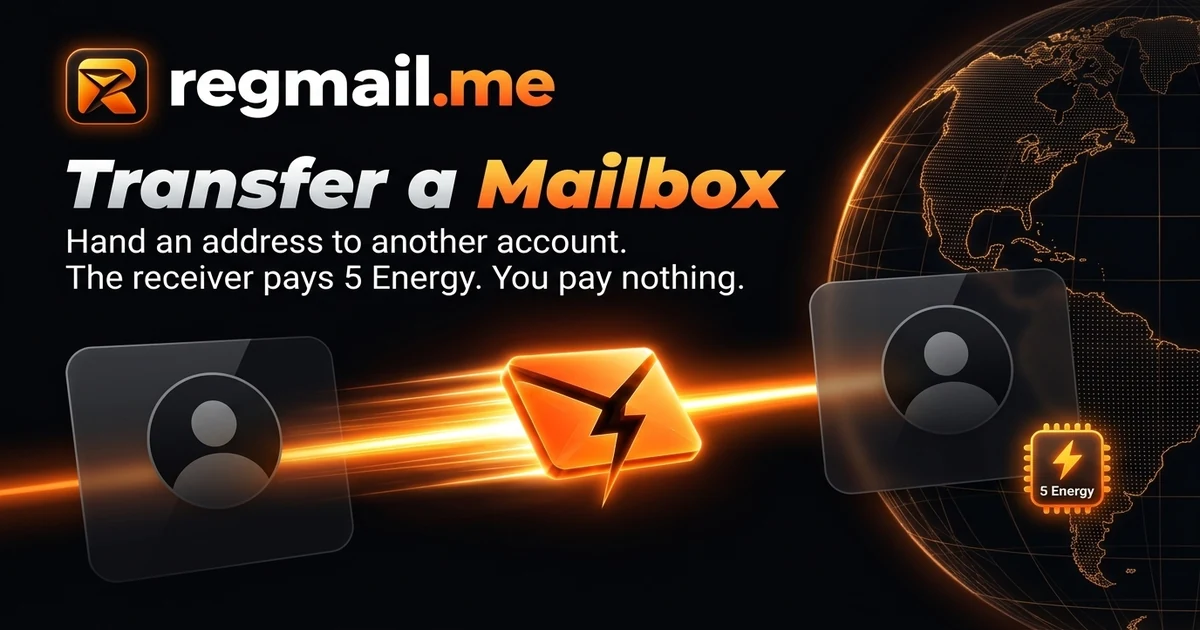
How to Transfer a Mailbox to Another Account
Hand a regmail.me address to another account in five steps. The receiver pays 5 Energy, you pay nothing, and earlier mail stays behind.
SimpleLogin and Addy vs a Permanent Mailbox
SimpleLogin and Addy can send and reply through unlimited aliases. regmail.me only receives. Compare before you settle on an alias strategy.
Cloudflare Email Routing vs a Hosted Mailbox
Cloudflare Email Routing forwards mail on a domain you own, free. regmail.me needs no domain at all. Compare the tradeoff before choosing.
Apple Hide My Email vs a Permanent Mailbox
Hide My Email can relay replies and comes free with iCloud+. regmail.me cannot reply at all. Compare both before picking an alias strategy.
Gmail Plus Addressing vs a Permanent Mailbox
Gmail plus addressing needs no new service and lets you reply. regmail.me hides your real address instead. Here is when each one wins.
10 Minute Mail Alternative That Never Expires
10 Minute Mail expires by design. regmail.me does not. Compare when a disposable inbox is enough and when a permanent one matters more.
Is It Safe to Use a Shared Domain Email Address?
A shared domain email means other strangers use the same domain as you. Here is what that actually costs you and what it is genuinely good for.
What Happens When a Temporary Email Expires?
A temporary inbox self-destructs on a timer, taking every account tied to it with it. Here is what actually breaks and how to avoid it.
Email Aliases Explained: Alias vs Plus Tag vs Catch-All
Alias, plus tag, and catch-all all forward mail to one inbox but work differently. Here is how each one actually behaves and where each falls short.
How to Stop Spam in Your Main Inbox
Most spam starts with a signup, not a hack. Stop giving your main address to every form and the spam mostly stops arriving at all.
How Email Addresses Leak in Data Breaches
A data breach leaks your address because a company stored it, not because the address itself was hacked. Here is the mechanism and how to limit damage.
Email for Claude, Midjourney, and AI Tool Signups
Claude, Midjourney, Perplexity, and Figma AI send sign-in links, receipts, and usage notices. Keep this mail on one address you will not lose.
Email for AWS, Cloudflare, and Cloud Trial Signups
Cloud and hosting accounts send verification, billing, and usage alerts. Here is how to receive that mail without missing a charge or an incident.
Email for Spotify, Netflix, and Streaming Signups
Streaming accounts send verification, billing, and login alerts. Use one dedicated address so renewal and security mail never gets lost in your inbox.
Email for Shopify, Etsy, and Ecommerce Store Signups
Shopify, Etsy, and WooCommerce send verification, billing, and security mail. Keep it on a separate address so it never mixes with your personal inbox.
A Separate Email for GitHub, GitLab and npm Accounts
Keep verification links and security alerts from developer accounts out of your personal inbox with a dedicated, permanent address.
A Separate Email for Notion, Trello and Slack Signups
Keep magic links and verification codes from productivity apps out of your main inbox with a dedicated, permanent regmail.me address.
A Separate Email for Steam, Epic and GOG Accounts
Keep Steam Guard codes and launcher login alerts out of your personal inbox with one permanent address built only to receive mail.
A Separate Email for Your OpenAI or ChatGPT Account
Route ChatGPT verification codes and usage notices to a dedicated inbox instead of your personal email, without losing account recovery later.
How to Use a Separate Email for Your Discord Account
Keep Discord verification links and login alerts out of your main inbox with a dedicated, permanent address built only to receive mail.
An Email Address for Forum and Community Signups
Sign up for forums and communities with an address built to absorb the breach risk instead of your main inbox.
What a Receive-Only Address Is Good for in Job Applications
A permanent address for job-board alerts and platform notifications, and where a real reachable inbox is still required.
An Email Address for Online Shopping Receipts
Collect order confirmations and receipts from every online store in one permanent inbox, kept out of your main email.
An Email Address for Free Trials and Software Downloads
Receive license keys and download links without handing every trial signup your everyday inbox.
A Permanent Test Email Address for QA and Automation
Use one stable email address across every test run instead of a rotating temp-mail domain that can vanish mid-suite.
A Newsletter-Only Email Address for a Cleaner Inbox
Create one permanent address just for newsletters so promotions and updates never touch your main inbox again.
How to Receive OTP Codes Online by Email
A permanent receive-only address is enough to catch one-time passwords by email. Here is how it works and what to do if a code does not arrive.
Why Your Signup Email Should Not Be Your Main Inbox
Every signup form that gets your main email address is a new source of spam and a new leak point. Separate them and both problems shrink.
Permanent Email vs Temporary Email
Temporary email deletes itself on a timer. Permanent email does not. Here is why that difference decides which one you should use.
How to Create a Free Email Address for Signups
Three steps to a free email address made for signups: sign in with Google, claim a name, start receiving mail. No DNS, no setup.
What Is a Receive-Only Email Address?
A receive-only email address gets mail but cannot send it. Here is what that means, why it matters, and when to use one.